How to Write a Friendly Diss Track Verse for an AI Rap Video
Build an eight-second diss verse with a setup and punchline, then turn a photo into a battle-rap video. Original examples and a template demonstration.
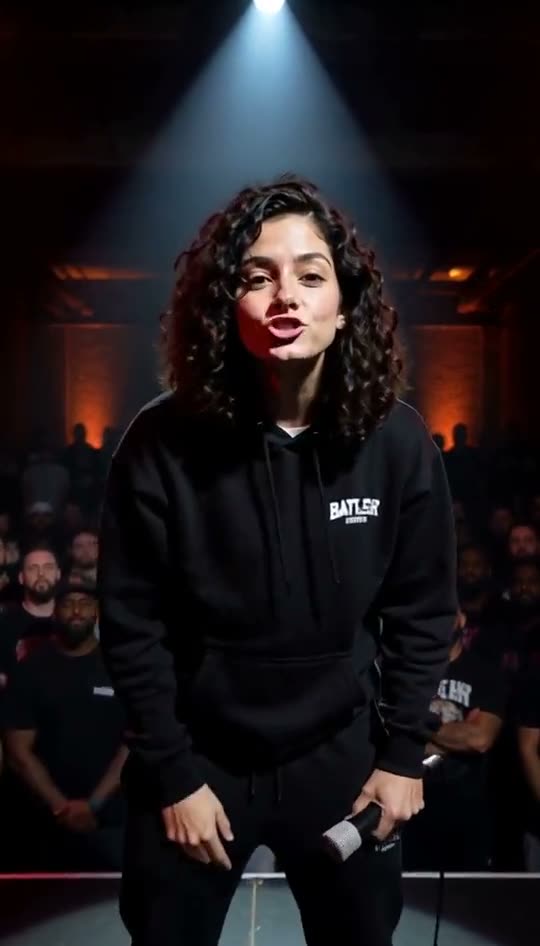
For an eight-second diss video, one clean joke is enough. Pick a harmless habit, set up the expectation and twist it in the last few words. The diss track generator performs the short lyrics you enter; it is not a full-length songwriting studio.
Watch the battle-rap preset
The example uses an AI-generated face. The preset requests an underground stage, a spotlight, an animated crowd and a hard beat. It generates a voice rather than cloning yours or a named rapper's.
Step 1: choose a joke the subject would enjoy
Gaming confidence, forgetting a charger and taking too long to choose dinner can work when the person is in on the joke. Avoid appearance, protected traits, health, private information or threats. Consent to use a photo matters separately from whether the lyrics are friendly.
If you are unsure how the person will react, use your own photo and roast yourself. It gives the joke a clear target without putting someone else in an unwanted performance.
Step 2: write the setup and punchline
Use the first line to describe the boast and the second to puncture it. For example:
Talk a big game, say you're carrying the team, spent the whole match staring at the loading screen.
Another original example:
Called yourself a chef, had the whole crew impressed, served us instant noodles in a very fancy vest.
A self-roast:
Bought a planner Monday, said I'd finally win, lost it by the weekend, here we go again.
Choose one example as a structure, not a list of insults to combine. Aim for roughly 12 to 20 words and stay inside the 160-character editor limit. Leave enough time for the last word to be audible.
Step 3: read it out loud
Clap a steady beat and say the verse at a comfortable pace. If you trip over a phrase, replace it with shorter words. Removing an adjective often helps more than adding another rhyme.
The generated delivery can differ from your reading. Treat the first output as something to review, not a guaranteed exact performance of every syllable.
Step 4: make the video
- Open Diss Battle and upload a clear photo of yourself or a consenting adult.
- Enter your verse and choose a generated voice.
- Check current pricing, sign in and use purchased credits. Each eight-second generation costs 100 credits; there is no free trial.
- Generate and review the words, facial animation and sound before downloading the MP4.
An accepted upstream render uses credits even if it fails. A rejection before rendering starts returns the credits. A paid retry can produce a different result, but cannot guarantee a fix.
Choose a scene that fits the joke
Use Street Cypher for a neon outdoor performance with a background crowd, or Studio Booth for a close-up introduction. For a birthday roast, balance the joke with a kind ending using our birthday rap guide.
You can switch templates in the AI rap video generator. Switching presets changes the requested scene and delivery; it does not give you a licensed commercial song or a particular artist's voice.