How to Make Your Pet Rap: Cat and Dog Video Ideas
Turn a cat or dog photo into a short AI rap video. Watch a sample, choose a usable photo and write a funny verse from your pet’s point of view.
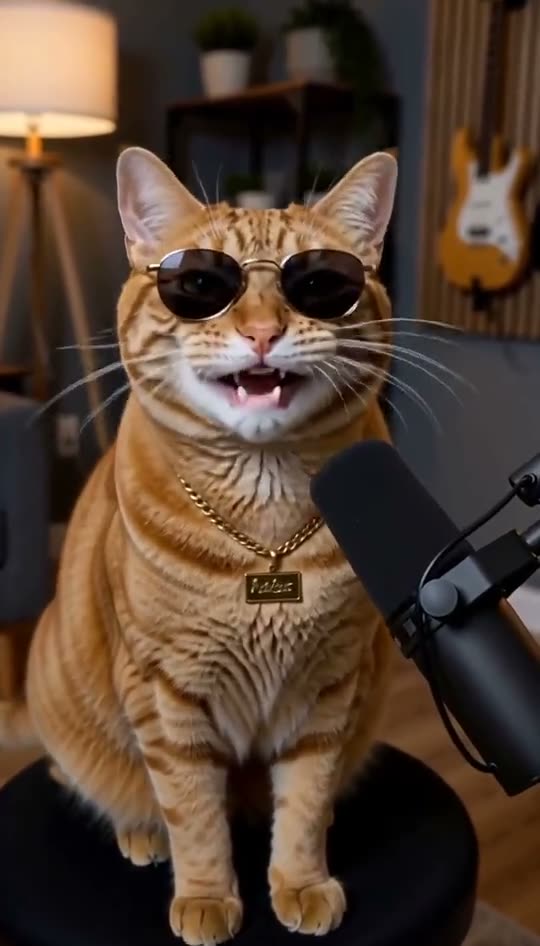
The easiest pet rap joke is something your animal already does: demanding breakfast, stealing your seat or barking at a delivery. Write from the pet's point of view, then use one clear photo in the pet rap video maker.
Watch a pet rap example
This demonstration uses an AI-generated animal. The preset requests a playful cartoon voice, head movements, a microphone and a bouncy beat. Your pet's face shape and the visibility of its mouth will affect the result. It is an animation, not a recording of an animal making human sounds.
Choose the photo before writing the joke
Use a picture with one animal facing the camera and the full face visible. Crop out most of the room, but leave space around the ears and chin. A distant dog in a park gives the model much less facial detail than a well-lit head-and-shoulders photo.
Avoid photos where a toy covers the mouth, another pet overlaps the face or dark fur disappears into shadow. Do not force a pose or put uncomfortable accessories on an animal to take the picture. You can use an existing calm portrait.
Cat rap lyrics: attitude first
Choose one habit and end on the joke:
Bowl was half empty, had to wake you at five, you're lucky that I let you keep living here alive.
Or make it about the furniture:
Bought a fancy cat bed, but your keyboard is my throne, every time you start to work I make that laptop home.
These are original examples. Shorten them if the delivery sounds rushed. The editor accepts up to 160 characters; roughly 12 to 20 words is a useful starting point for eight seconds.
Dog rap lyrics: one small obsession
For a food-motivated dog:
Heard a little wrapper from the other side of town, fastest paws in the kitchen when a snack goes down.
For a dog who takes walks seriously:
You said walk once, now I'm waiting at the door, took a nap all day but I can run some more.
Change the details to match your dog. Adding three different jokes usually makes the verse harder to follow.
Generate and review
- Open Pet Rap and keep that template selected.
- Choose the animal photo and add one short verse.
- Check pricing, sign in and purchase credits if needed. One eight-second attempt uses 100 credits; signup does not include a free render.
- Generate, then inspect the face and listen to the whole clip before downloading.
If the mouth looks unusual, a clearer, more frontal photo may help on a later attempt, but another paid generation is not guaranteed to fix it. Once rendering is accepted and started upstream, failed attempts still consume credits; jobs rejected before that point return the credits.
Give the pet a stage name
Use the free rap name generator if you want a nickname for the caption. For a holiday joke, borrow a verse idea from our Christmas rap guide while keeping the Pet Rap preset selected. For a human selfie instead, start with the AI rap video generator.